

Quick answer
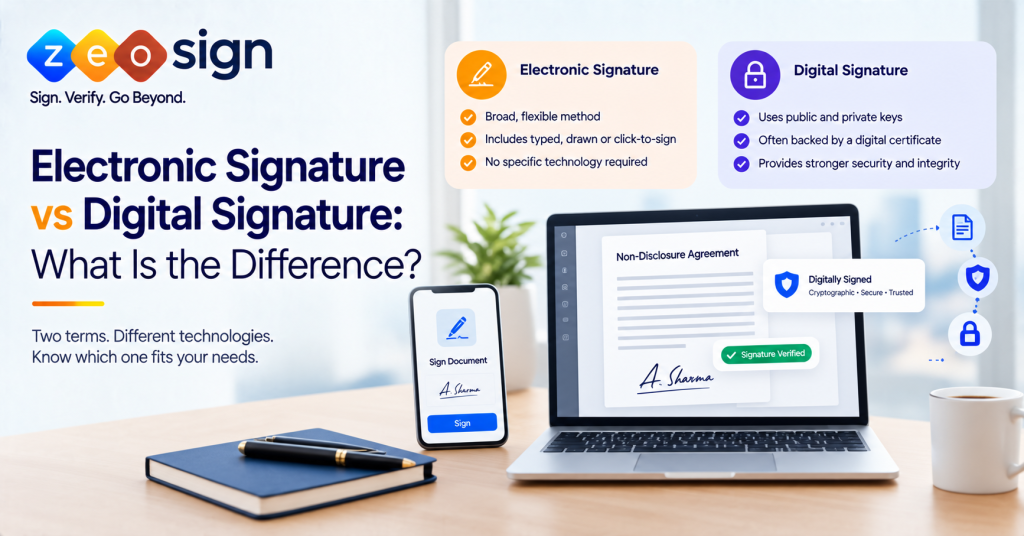
An electronic signature is the broader concept, covering any electronic method used to indicate that someone is signing a record. A digital signature is a specific cryptographic method that uses public and private keys, and often a digital certificate, to support signer authentication and document integrity. The two terms are related but not interchangeable, and legal effect depends on jurisdiction and context.
Introduction
People use these two terms as if they mean the same thing, and in casual conversation that mostly works. The trouble starts when you have to pick a signing approach for a contract, an approval or a regulated document. Then the difference affects security, evidence and sometimes legal requirements.
This guide explains how the two relate, how each one works, how their security differs and what the law generally says. It ends with a simple way to decide what fits your workflow. For the bigger picture, see our [complete guide to electronic signatures].
Table of Contents
Electronic Signature vs Digital Signature: What Is the Difference?
No, they are not the same thing. Electronic signature is the umbrella term. Digital signature is one specific, cryptography-based way of signing within it. A digital signature can act as an electronic signature, but plenty of electronic signatures do not use digital signature technology at all.
In practice the gap shows up in six places:
- Electronic signatures can rely on many different authentication and evidence methods
- Digital signatures rely on a key pair and cryptographic verification
- Digital certificates can establish trust around a public key
- Digital signatures can help detect unauthorized changes to a document
- Electronic signature evidence often comes from the signing platform and its records
- Legal treatment of both varies by jurisdiction
| Aspect | Electronic Signature | Digital Signature |
|---|---|---|
| Meaning | Broad electronic method associated with signing | Specific cryptographic signature mechanism |
| Scope | Broad | More technically specific |
| Core technology | Varies by implementation | Public-key cryptography |
| Certificate | Not necessarily required | Common in certificate-based setups |
| Cryptography | Not inherent to every implementation | Core component |
| Verification | Depends on workflow and evidence | Cryptographic signature verification |
| Document integrity | Depends on implementation | Alteration can be detected |
| Legal treatment | Jurisdiction and context dependent | Jurisdiction and context dependent |
What Is an Electronic Signature?
An electronic signature is an electronic way of showing that a person intends to sign a record and linking them to it. That could be a typed name, a drawn mark, a click to accept or a signing action inside a platform. Authentication varies by workflow and can include email verification, one-time passwords or access codes. Evidence usually comes from signing records and an audit trail.
We keep this definition short on purpose. Types, benefits and the full workflow live in our [electronic signatures guide].
What Is a Digital Signature?
A digital signature is a cryptographic mechanism used to sign data. It is built on a key pair. The signer holds a private key and others use the matching public key to check the result. A digital certificate, issued by a certificate authority where applicable, ties the public key to an identity and gives the verifier a basis for trust.
Hashing plays a central role. A hash function condenses the document into a fixed value, and that value is what actually gets signed. NIST describes digital signatures as supporting authenticity and integrity, but not confidentiality.
Common mistake
One common mistake is calling a digital signature “encrypted data.” Cryptographic algorithms and hashing are used to create and verify it, but the document itself is not encrypted by the signature.
How Do Electronic Signatures and Digital Signatures Work?
How an Electronic Signature Works
The exact steps depend on the implementation, but a typical flow looks like this:
- The document is prepared and sent
- The signer reviews it
- Authentication or consent takes place
- The signature is applied
- The signing event is recorded
- The completed document and audit evidence are produced
For a fuller walkthrough, see [how electronic signatures work].
How a Digital Signature Works
- A hash of the document is generated
- The signer’s private key is used to create the signature
- The signature is associated with the document
- The public key or certificate is used to verify it
- The system checks integrity by comparing results
The private key stays under the control of the signer or signing system. The public key is used for verification only. If the document changes after signing, verification can fail. India’s CCA and NIST both describe digital signatures in terms of asymmetric key pairs and cryptographic verification.
Electronic Signature vs Digital Signature: Security Comparison
Digital signatures are not automatically more secure in every situation. Security depends on implementation, authentication controls, trust infrastructure, access controls and the use case. What digital signatures add is a set of cryptographic mechanisms designed specifically to support authenticity and integrity.
| Security Factor | Electronic Signature | Digital Signature |
|---|---|---|
| Signer authentication | Depends on implementation | Cryptographic verification plus applicable identity controls |
| Cryptographic mechanism | Not inherent | Core |
| Document integrity | Depends on implementation | Core cryptographic property |
| Tamper detection | Depends on implementation | Validation can detect changes |
| Digital certificate | Not necessarily | Common in certificate-based setups |
| Audit trail | Platform dependent | Platform and trust infrastructure dependent |
| Confidentiality | Not inherently provided | Not inherently provided |
Good to know
Document integrity is not the same as confidentiality. A digital signature can help show that a file was altered. It does not hide the contents. If privacy matters, that requires separate controls such as encryption and access management.
Electronic Signature vs Digital Signature: Legal Validity
There is no universal answer. Legal effect varies by jurisdiction, document type, applicable legislation and sometimes the authentication and evidence involved. Regulated workflows can add extra requirements. Technical security and legal validity are also separate questions, and a strong technical setup does not guarantee a particular legal outcome.
The EU is a useful comparison. Its eIDAS framework distinguishes levels of electronic signatures and gives specific legal effect to qualified electronic signatures.
Electronic Signatures in India
India’s Information Technology Act, 2000 recognizes electronic signatures. Section 5 allows an electronic signature affixed as prescribed to satisfy a legal requirement for a signature. The Act defines electronic signature to include digital signature, and Section 3A, added in 2008, covers electronic signatures beyond the traditional digital signature method. This does not mean every document can be signed electronically, since certain documents carry their own requirements.
Digital Signatures in India
The Controller of Certifying Authorities, working under MeitY, licenses and regulates Certifying Authorities. It also describes India’s public key infrastructure, which supports Digital Signature Certificates and the eSign framework.
Legal note
Legal requirements can vary by document, transaction and jurisdiction. For high-stakes or regulated transactions, verify the applicable requirements with the relevant authority or a legal professional.
When Should You Use an Electronic Signature?
Electronic signatures often suit everyday business workflows where the law allows them. Common examples include:
- Business and vendor agreements
- HR documents
- Internal approvals
- Sales paperwork
- Routine contracts
- Consent workflows
- Operational documents
Legal note
These are use cases, not legal permissions. Check the rules that apply to your document type and location. See also [how to sign a document online].
When Should You Use a Digital Signature?
Consider a digital signature when requirements point toward certificate-based signing or cryptographic proof, such as:
- Certificate-based signing
- Cryptographic verification
- Stronger document-integrity needs
- Higher-assurance workflows
- Specific regulatory expectations
- Jurisdiction-specific certificate requirements
Legal note
Even then, such requirements do not automatically make a digital signature legally mandatory. Confirm what applies to your case.
Electronic Signature vs Digital Signature: Key Differences at a Glance
| Factor | Electronic Signature | Digital Signature |
|---|---|---|
| Definition | Broad signing concept | Specific cryptographic mechanism |
| Core technology | Depends on implementation | Public-key cryptography |
| Authentication | Varies | Cryptographic verification plus identity or trust mechanisms |
| Certificate | May not be required | Common in certificate-based setups |
| Tamper evidence | Depends on implementation | Designed to detect unauthorized changes |
| Typical use | Broad business workflows | Certificate-based or higher-assurance workflows |
Is a Digital Signature the Same as an Electronic Signature?
No. They are related but not identical in scope. Electronic signature is the broader term and digital signature is a cryptographic signing mechanism. A digital signature can function as an electronic signature, but not every electronic signature uses digital signature technology.
Which Should Your Organization Use?
Neither is better in every case. The right approach depends on the document, jurisdiction, required assurance level, security needs and workflow. Work through these questions in order:
- What is being signed?
- Where will the document be used?
- Does the law prescribe a specific signature type?
- How much identity assurance is needed?
- Do recipients need cryptographic proof that nothing changed?
- How should the signer be authenticated?
- Is a certificate or PKI required?
- How many signers are involved, and in what order?
- What evidence do you need, such as audit trails and records?
- Will the experience work for real users?
| Requirement | Consider Electronic Signature | Consider Digital Signature |
|---|---|---|
| Routine business documents | Yes | |
| Simple signing workflow | Yes | |
| Flexible authentication options | Yes | |
| Cryptographic verification | Yes | |
| Strong document-integrity requirement | Yes | |
| Certificate-based signing | Yes | |
| Specific certificate requirement | Yes | |
| Higher-assurance cryptographic workflow | Yes |
Tip
Use the table as a prompt for discussion rather than an automatic answer.
How ZeoSign Supports Electronic Document Signing
ZeoSign is an electronic signature platform. It supports electronic document signing along with features that help manage the workflow:
- Video Sign
- Multiple recipients
- In-order Signing
- Bulk Send
- Real-time tracking
- Reusable templates
With Zero Custody Storage, documents remain in your connected drive rather than being stored on ZeoSign’s servers.
ZeoSign is not a certificate authority and does not issue Digital Signature Certificates. It is designed for electronic signature workflows, so if your document requires certificate-based digital signing, check that requirement first. Want to keep signing organized and trackable? Explore how ZeoSign can fit into your document workflow.
Frequently Asked Questions
What is the difference between electronic and digital signatures?
Electronic signature is the broad category covering any electronic method of signing. Digital signature is a specific cryptographic mechanism that uses key pairs to support authentication and integrity.
Is a digital signature the same as an electronic signature?
No. A digital signature can act as an electronic signature, but not every electronic signature is a digital signature.
Are electronic signatures and digital signatures the same?
They are related but differ in scope. One is a broad concept and the other is a specific cryptographic method.
Are digital signatures more secure than electronic signatures?
Not automatically. Security depends on implementation, authentication and the use case. Digital signatures add cryptographic protections for authenticity and integrity, but they do not provide confidentiality.
Are electronic signatures legally binding?
It depends on the jurisdiction, document type and applicable law. Many places recognize them, but some documents have special requirements.
Are digital signatures legally binding?
Often recognized, but it depends on the jurisdiction and the rules for the document involved. Always check the requirements that apply to you.
What is a digital signature certificate?
It is a digital credential issued by a certificate authority that links a public key to an identity, giving verifiers a basis to trust the signature.
How does a digital signature work?
A hash of the document is created and signed with a private key. Others verify it using the public key, and a changed document can cause verification to fail.
When should I use an electronic signature?
For routine workflows such as agreements, approvals and consents, where the law allows electronic signing.
When should I use a digital signature?
When certificate-based signing, cryptographic verification or a specific regulatory requirement points that way.
Conclusion
Electronic signature and digital signature work at different conceptual levels. One is the broad idea of signing electronically and the other is a specific cryptographic way of doing it. Neither wins in every case, and the right choice comes down to your document, jurisdiction, assurance needs and workflow. Check the legal requirements for your situation, then pick the approach that fits. If an electronic signature workflow suits your needs, ZeoSign can help you run it.