

Printing a page just to sign it and scan it back feels outdated, and in most cases you don’t need to. You can sign a document online in a few minutes from your laptop or phone. The right method depends on your file type and what the person receiving it expects.
Quick Answer
To sign a document online, open it in a suitable signing tool and read it through. Add your signature to the required fields, complete any consent or verification steps and then save or return the finished copy. Placing a signature image on a file is simple. A structured signing request also records the signing event and confirms completion.
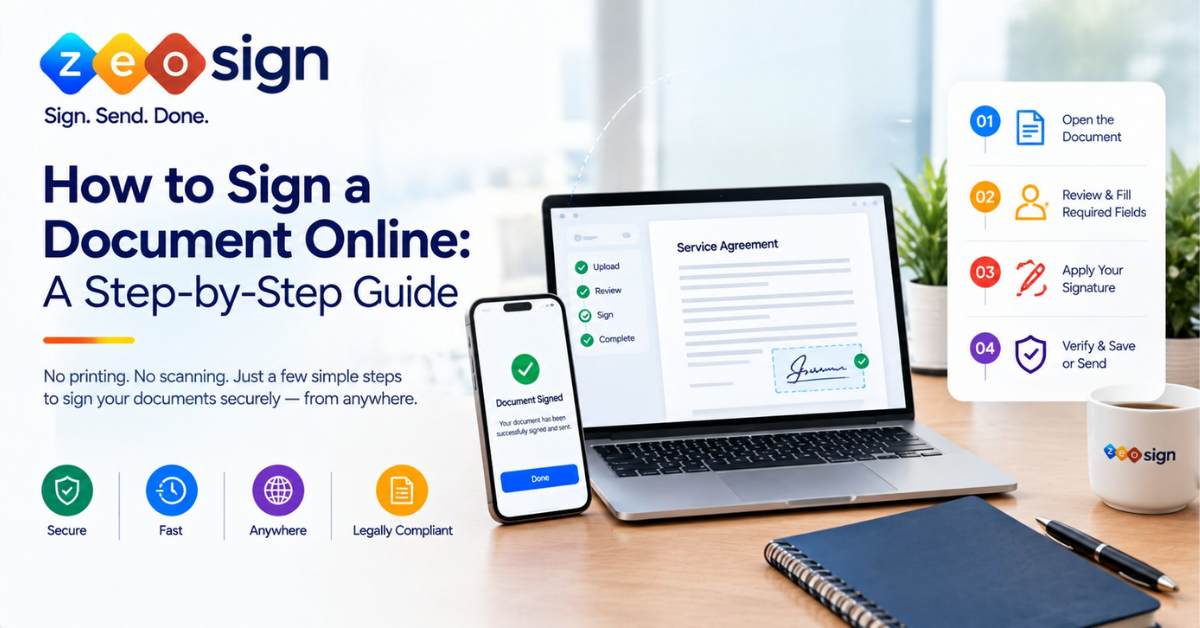
How to Sign a Document Online in 5 Simple Steps
Most online signing follows the same basic pattern. Here is how to sign documents online without the usual back and forth.
- Choose a suitable signing method. First work out what you’re dealing with. Are you adding a signature to a file yourself or completing a signing request someone sent you? Check whether the recipient has asked for a specific method.
- Open the document. Use an application or online signing tool that supports your file. Uploading, account creation and supported formats vary from one provider to the next.
- Review the document and fill in the required fields. Read every page. Find the signature, date and initials fields and make sure you have the final version.
- Apply your signature and finish any extra steps. Depending on the workflow you may need to confirm consent, fill in more fields or pass an authentication check.
- Verify and save or send the completed document. Make sure the process shows as complete. Save a final copy and return it through the channel the sender asked for.
Quick pre-signing checklist: Run through these before you sign anything:
- Is this the correct document and the final version?
- Have you read all pages and the terms that matter to you?
- Are the signature, date, initials and other required fields filled in?
- Does the recipient need a particular signing method?
- Will you have a copy of the signed document or a completion confirmation?
One thing worth knowing early: not every tool works the same way. Some simply place a visual signature on a file. Others manage the full signing request and may record each event along with its completion status.
How to Sign a Document Without Printing
You can skip the print, sign, scan and return cycle by using an online tool or a compatible document app. These let you add a signature directly to a digital file.
The flow is simple. Open the document, review it, apply your signature and then save or return the completed copy.
Keep in mind that a drawn, typed or image-based signature is often just a visual mark on the page. A structured electronic signing workflow can go further by capturing consent and recording signing events. Before you start, check whether the recipient expects a particular signature type or formal process. Not every document can be signed electronically, since that depends on the document, the receiving organisation and the rules that apply.
How to Sign Different Types of Documents Online
The general steps stay the same but each format has its own quirks. Here is what changes for the files people deal with most.
| Document type | What you open | How the signature goes on | How you return it |
|---|---|---|---|
| A PDF editor or signing platform | Signature field or placed signature | Save and send the signed PDF | |
| Word document | An app that supports your signing method | Signature image, signature line or digital signature | Send as Word or convert to PDF if asked |
| Email request | The attachment or the signing link | Depends on the file or the sender’s workflow | Reply manually or complete through the link |
Available methods depend on the application and workflow you use.
How to Sign a PDF Online: PDFs are the most common format for signing. To add a signature to a document online in PDF form:
- Open the PDF in a suitable PDF editor or signing platform.
- Review every page and locate the signature fields.
- Add your signature using the options the tool offers.
- Fill in any dates, initials or other required fields.
- Save or send the signed PDF.
- Reopen the saved file to confirm the signature and content appear correctly.
A visible signature on a PDF is not always the same thing as a certificate-based digital signature or a managed signing workflow.
How to Sign a Word Document Online: With Word files, start by checking whether your app supports the signing method you need. Review the text and formatting first because layouts can shift. There is a real difference between inserting a signature image, using a supported signature workflow and applying a certificate-based digital signature. Microsoft’s desktop versions of Word support signature lines and digital signatures, while Word for the web has different capabilities. Ask whether the recipient wants a Word file or a signed PDF. Keep the signed version clearly labelled so it doesn’t get mixed up with the unsigned original.
How to Sign a Document Sent by Email: Email signing usually comes in one of two forms:
- Email attachment: Open the file in a suitable app, sign it, save the completed copy and send it back as requested.
- Signing request link: Open the request through the link, review the document, fill in the required fields, sign and confirm completion.
Always verify the sender first. Be careful with unexpected links or any request asking for sensitive information.
How to Sign a Document on a Mobile Phone
Yes, you can usually sign from your phone. Small screens just make it easier to miss things, so take it slowly.
- Open the document or signing request in a compatible mobile browser or app.
- Read the full document. Zoom in and move through each page.
- Fill in the required fields and apply your signature using the options available.
- Check for missing fields or unfinished steps before you confirm.
- Save the completed file or follow the request’s return process.
- Make sure you can access the final document or completion confirmation.
A few practical tips help here. Use a secure device and connection. Check who you are sending the document to. Never sign based on a partial view of the page.
How to Sign and Send a Document Online
Signing a document and asking others to sign one are two different jobs. The sender manages the request while the recipient completes the signing.
How to Sign and Return a Document: Open the document or request and fill in the required fields. Sign it, check that it shows as complete and then save or return the final copy as the sender asked. A managed signing request usually has a built-in completion flow. An email attachment, on the other hand, has to be sent back manually.
How to Request an Electronic Signature: If you’re the one collecting signatures, the process looks like this:
- Prepare and review the final document.
- Identify everyone who needs to sign.
- Add signature fields and any other required fields.
- Set a signing order if your tool supports it.
- Send the request through the right workflow.
- Track progress and confirm when everyone has signed.
For a full walkthrough of the sender side, read our guide on how to request an electronic signature.
Can You Sign Documents Online for Free?
Sometimes, yes. Just know that “free” can mean very different things depending on the provider:
- Free tool: Basic signing at no cost, often with limits.
- Limited free plan: A set number of documents or recipients each month.
- Free trial: Full features for a short period before you pay.
- Paid service: Ongoing access with more features and support.
Before you pick one, look at document limits, recipient limits, supported file types, export options and access to signing records. Read the privacy and retention terms before uploading anything confidential. The best choice depends on how sensitive and complex your document is, not only on price.
Is It Safe to Sign a Document Online?
Online signing can be safe if you use a trusted tool and take a few sensible precautions. Here is what to check every time:
- Verify the sender and make sure you were expecting the document.
- Read the document before signing and look for unexpected changes.
- Understand which authentication or verification steps the process uses.
- Find out how the provider handles document access, storage, retention and deletion.
- Store the final document and any completion records securely.
- Learn what the audit trail records, since this varies between providers.
It also helps to understand a few terms that often get mixed up:
| Term | What it actually means |
|---|---|
| Visual signature | A mark on the page. On its own it doesn’t prove the signer’s identity was strongly authenticated. |
| Authentication | A check on access or identity, with strength depending on the method used. |
| Audit trail | A record of selected signing activity. It doesn’t automatically prove every fact about a transaction. |
| Digital signature | Uses cryptographic certificates and has technical properties a visual signature lacks. |
Want to dig deeper? Our guide on how an electronic signature works explains the mechanics.
What Should You Check Before Choosing an Online Document Signing Tool?
The right tool depends on how often you sign, who else is involved and how sensitive your documents are. Use this quick checklist to compare options.
| What to check | Why it matters |
|---|---|
| Supported file formats and export options | You need to open your files and get usable copies back |
| Desktop and mobile usability | You may need to sign away from your desk |
| Single and multi-recipient requests | Some documents need more than one signer |
| Authentication and consent options | These help confirm who signed and that they agreed |
| Sequential signing | Useful when people must sign in a set order |
| Completion tracking and audit records | You can see progress and keep a record |
| Security, access controls and data handling | Your documents stay protected |
| Pricing limits and terms | No surprises once you start using it |
For a wider look at features, see Electronic Signatures: The Complete Guide.
How ZeoSign Can Support Online Document Signing
If you regularly send documents for signature, ZeoSign gives you a structured electronic signing workflow built around real tasks:
- Multiple recipients: Send one document to everyone who needs to sign it.
- Bulk Send: Send documents at scale when volume is high.
- In-order Signing: Set the exact sequence signers must follow.
- Real-time tracking: See where each document stands in the process.
- Reusable templates: Save time on documents you send again and again.
- Video Sign: Capture video evidence of a signer’s consent.
- Zero Custody Storage: Your files stay in your connected drive rather than on ZeoSign’s servers.
Frequently Asked Questions About Signing Documents Online
How do I sign a document online without printing it? Use a compatible signing tool or app to add your signature to the digital file. Then save or return it. The exact method depends on what the recipient asks for.
How do I sign a PDF online? Open the PDF in a suitable tool and review it. Add your signature and any required fields, then save or send the completed file.
Can I sign a Word document online? It depends on the app and the signing method. Some workflows insert a signature image while supported apps may offer other signature options. Check which file format the recipient wants back.
Can I sign documents online for free? Some services offer free tools or limited free use. Others offer trials or paid plans. Check current limits, privacy terms and export options before you commit.
How do I sign a document sent by email? If it’s an attachment, sign it and send it back yourself. If it’s a signing request, complete everything through the link the sender provided.
Do I need to download software to sign a document online? Not always. Many browser-based services work without any installation. Requirements still vary by tool, document format and signing method.
Is signing a document online legally valid? Electronic signatures are legally recognised in many places. Requirements and exceptions depend on your jurisdiction, the document type and the signing process. Check the rules that apply to you or get qualified legal advice if needed.
Final Thoughts
Learning how to sign a document online saves time and spares you the printer. Pick the right method for your file, read everything before you sign and always keep a copy of the finished document.
If you need to send, track or manage documents for signature, explore ZeoSign’s electronic signing workflow and see how it fits the way you work.